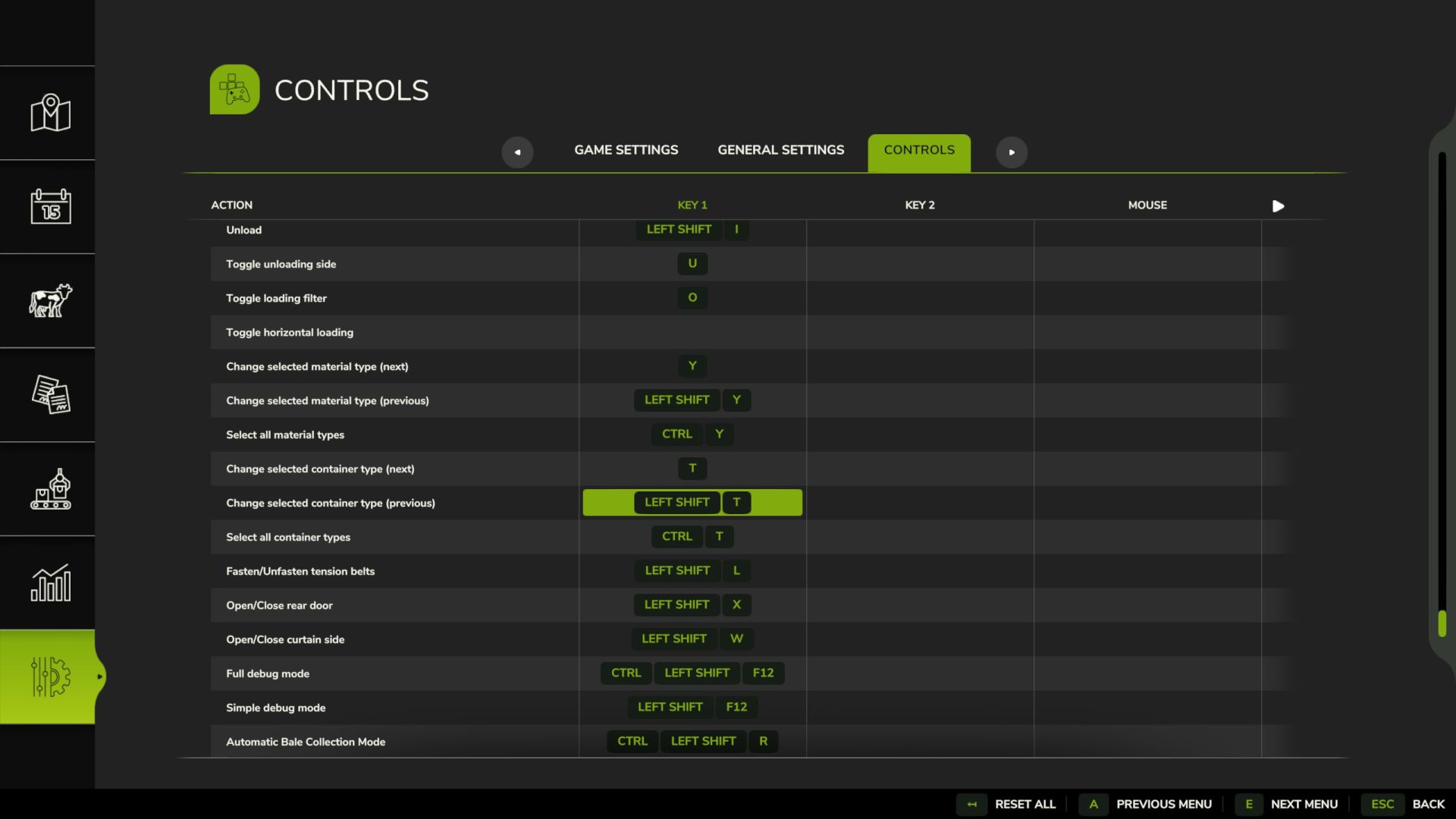
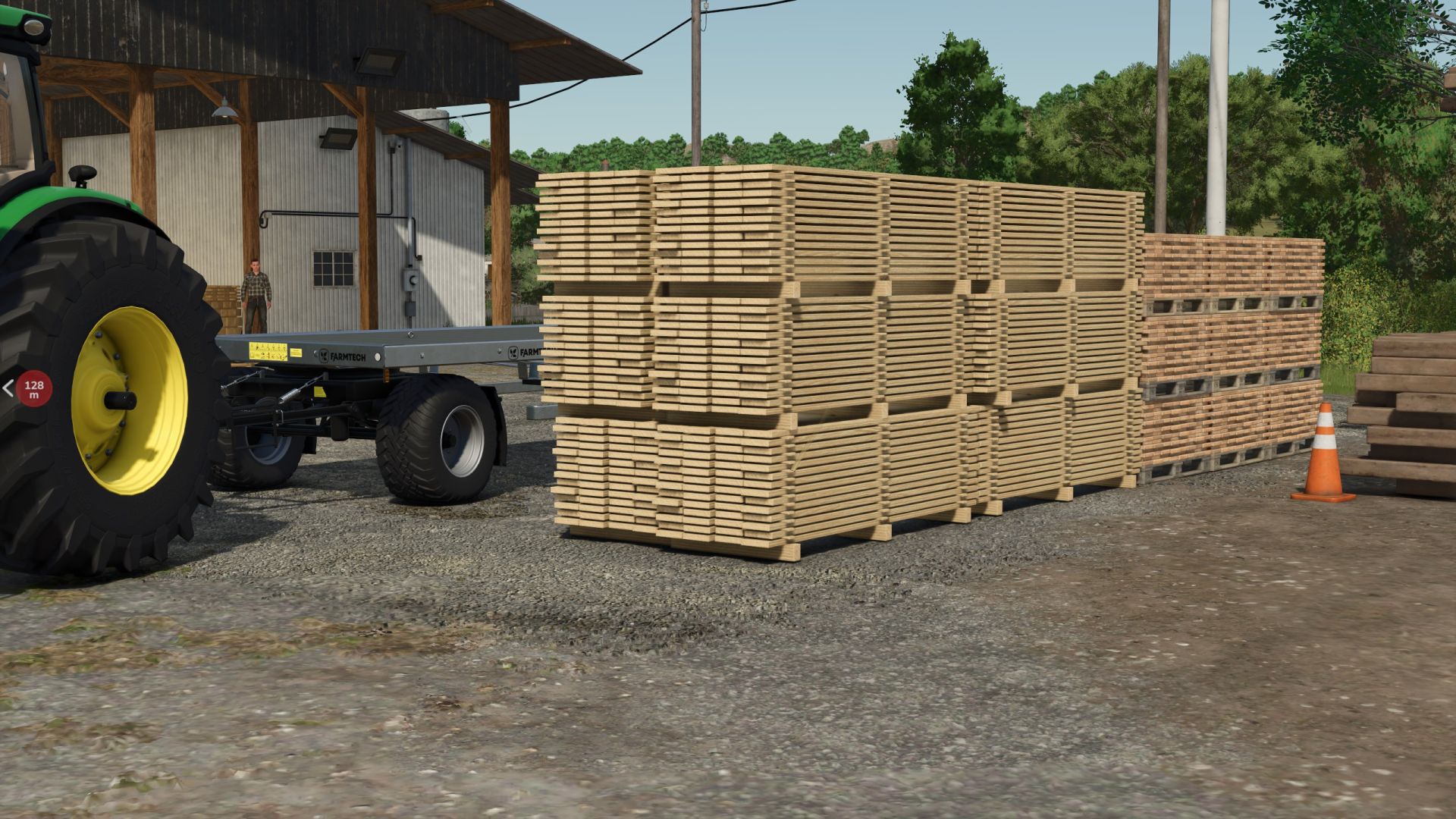
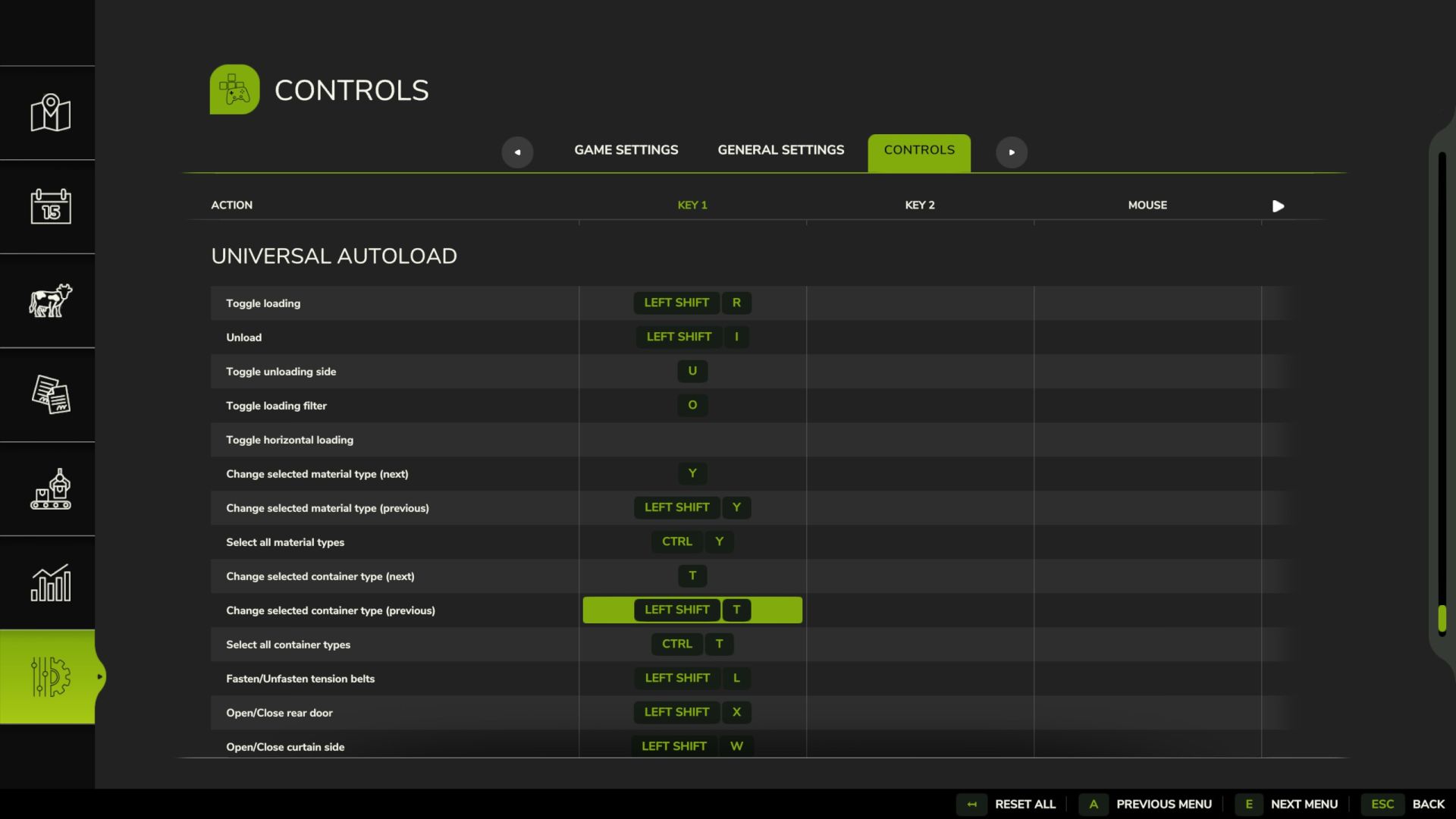
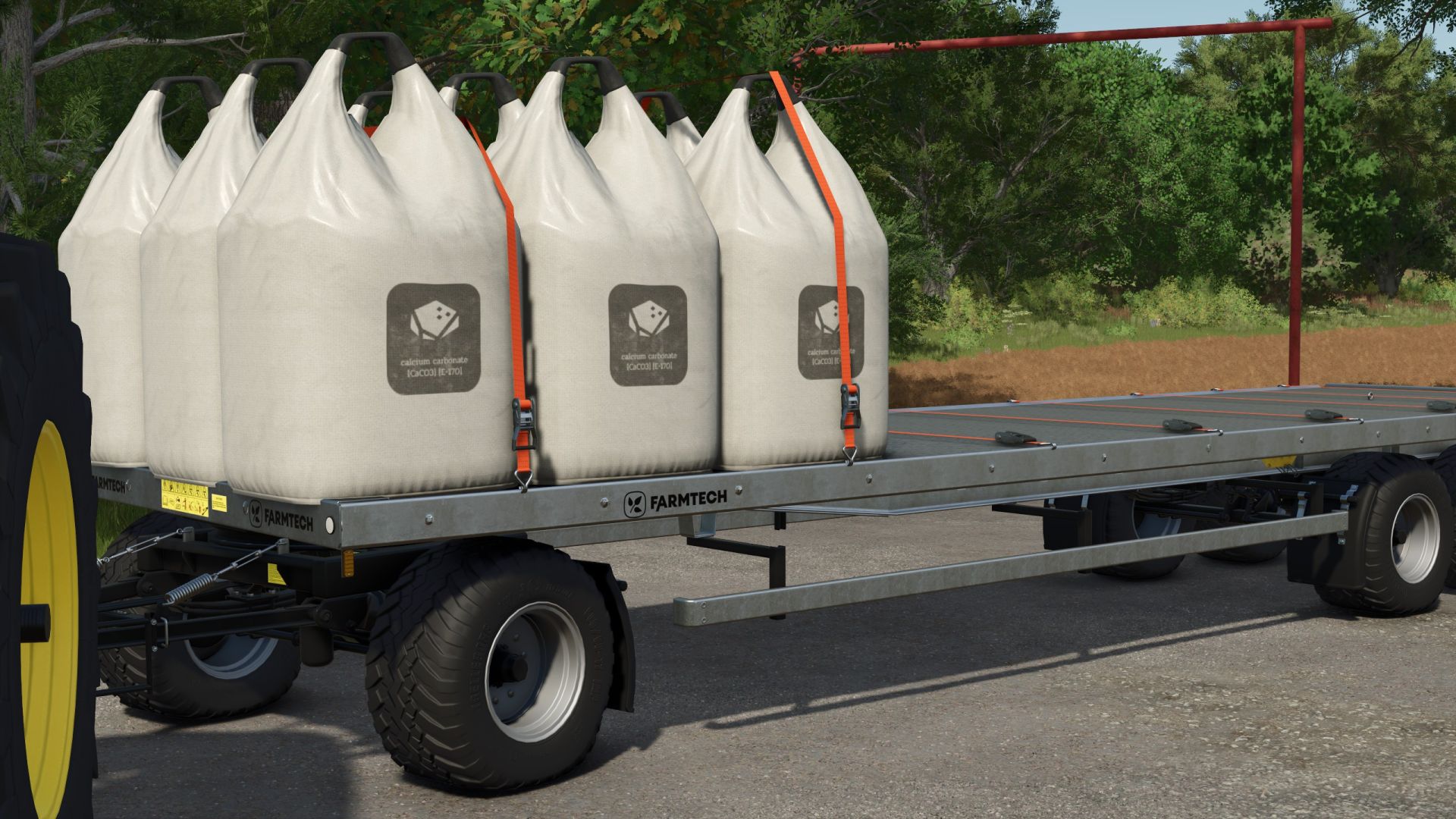
Universal Autoload v1.0.1.1
This automatically modifies the actual base game trailers, and will be applied to any new or existing trailers on your farm. Please see the included read-me file for instructions on adding to your own mod trailers or pallets.
Autoloading specialisation for trailers. This automatically modifies the actual base game trailers, and will be applied to any new or existing trailers on your farm. Supported trailers can be configured with a GUI when purchasing in the shop. Please see the included read-me file for full instructions on configuration.
Changelogs:
v1.0.1.1 – Highlands DLC Latest
- Added support for Highlands DLC
- Added default configurations for new train carriages and cargo vessel
- Corrected name of Timber Wagon train carriage (incorrectly named SugarBeet Wagon by GIANTS)
- UAL will now search default configuration file for any undefined vehicles (mod settings file has priority)
- Added ualRestoreDefaultConfigs console command – backs up existing settings file and replaces it with copy of defaults file only
- Delay auto configuration in shop by 10 fames (some vehicles were not fully loaded when opening the shop, and therefore were not properly detected by the algorithm)
v1.0.1.0 – MODHUB UPDATE
- Prevented some runtime errors
- Improved loading of shipping containers
v1.0
- This is identical to v0.4.9.9 but with version number set to v1.0.0.0 so that it works with the latest GIANTS mod version filter.
- Since release on ModHub, only v1.0.0.0 and above will work with the game. Apparently GIANTS can do this dynamically now!
v0.4.9.9 – FINAL Pre-ModHub Release
- Hide blue box in shop when UAL is disabled
- Remove active vehicle debug display
NOTE: This version still includes the fix for tension belts broken in v1.9.0.1 but it will not be active in any future game versions due to the condition:
V0.4.9.4
- Tested this time. Now adds TRIGGER flag to triggers if it is missing.
v0.4.9.2
- As before, but previous fix only applied to placeables loaded from the savegame
- Now applies to new placeables via PlaceableLoadingData.onPlacableLoaded
- Search all placeables for i3d nodes where the name contains the word “trigger” and therefore should be a trigger and not an object
- Remove any of the object collision flags that UAL uses to detect a collision (PLAYER, VEHICLE, STATIC_OBJECT, DYNAMIC_OBJECT, TREE)
v0.4.9.1
- Search all placeables for i3d nodes where the name contains the word “trigger” and therefore should be a trigger and not an object
- Remove any of the object collision flags that UAL uses to detect a collision (PLAYER, VEHICLE, STATIC_OBJECT, DYNAMIC_OBJECT, TREE)
v0.4.9.0
- Objects not added as “loaded” when they intersect with both pickup and loaded triggers at the same time
- Added as “loaded” when moving from both into the loaded trigger
- Added as “available” when moving from both into a pickup trigger
- Added some related visual debugging stuff
v0.4.8.9
- Grouped too many state flags together in v0.4.8.8 which meant that a later logic statement could never be true
- Also: Changed price per loading to INT – will truncate any existing floats to int (round down)
v0.4.8.8 – ADDED ACTIVE VEHICLE DEBUG DISPLAY & NEW GLOBAL SETTINGS
- Update README and modDesc
- Reorder items in global menu
- Add active vehicle debug display – shown when debug mode is active
- Detect players on foot – key bindings are not active yet
- Add loadingSpeed global setting – delay in ms between loading each object
- Added lowRefreshMode global setting – enable if you experience lag on lower end sytems or servers
- Added BR Translations – provided by Myiamoto86
v0.4.8.7
- Added 10% margin for pallet detection
- I assume this was just a rounding error, maybe worse when pallets are not properly centred on the root node.
v0.4.8.5
- Added global minLogLength option (sets a minimum length for logs that will be autoloaded)
- Added minLogLength to the global settings menu
- Now displays existing values (minLogLength and objectSpacing)
- Loads custom values from mod settings XML and round to nearest in the menu
- Only apply 1.9 bug fix to version game version 1.9.0.1 (expecting that GIANTS will fix)
v0.4.8.4 – Hopefully FINAL FIX for MP pallet bug
- It looks like only pallets were affected by the bug anyway, not bales or logs
- only add objects when the game is MP
- only add objects if they are a “vehicle” (e.g. pallet)
- only fix objects when they are no longer moving
- clear table in case anything is added that shouldn’t have been or is later sold
- Note: it seems like GIANTS may be calling link() for the pallets on the client, since the fix involves linking the object to the map root node (clearing the existing links) on the client. Calling the same code only on the server doesn’t change the behaviour.
v0.4.8.2
- FIX TENSION BELTS – broken again in V1.9.0.1
- NOTE: THIS IS A FIX FOR THE NEW GIANTS MP BUG – see #374 (comment)
- Probably only temporary until GIANTS rolls out another patch
- Workaround that seems to fix the pallets being dragged along the floor in MP after unstrapping tension belts
- Added objectSpacing to global settings
v0.4.8.1 – Prevent debugging print error when loading unconventional vehicles in the shop
- Protect against variables being nil
- Update Italian translations
v0.4.8.0 – Second attempt to refactor container dimensions (see #386)
- Changes in advance that will allow modification of spacing parameter
- Would be good to know if this breaks anything before I start making more changes..
- Added DELTA to newLoadHeight to avoid occasionally skipping layers with round bales
- Note: I still have no idea how these changes can affect #385
v0.4.7.9 – Refactor container dimensions
- Changes in advance that will allow modification of spacing parameter
- Would be good to know if this breaks anything before I start making more changes.
v0.4.7.7
- Check for rootNode = nil
- I forgot about the issue with printing self.rootNode back in v1.5.0.0
- prevents errors similar to:
- FS25_UniversalAutoload/UniversalAutoload.lua:3749: attempt to concatenate nil with string
v0.4.7.6
- Do not apply velocity correction when auto collection mode is active (items not added to physics)
- Update vehicle when on foot OR if auto collection mode is active (see #300/#308)
- Identify items held by player for manual loading
- Identify closest vehicle when on foot
- Prevent updates of vehicle F1 menu when on foot
- (could be causing occasional UI issues where buttons do not appear)
v0.4.7.5
- Added overlapping zones flag (prevents detecting trailer as full when zones are overlapping)
- Added new default settings for 2017 lizard pickup
- Increased max loading zones/areas to 5
v0.4.7.4
- Added a new shop configuration menu item to select the length axis from available i3d nodes
v0.4.7.3
- Edited functions for AD
- Now using totalUnloadCount (all loaded items) instead of validUnloadCount (UAL filters)
Also:
- Removed debugging box on detection of new objects
v0.4.7.1 ADDED TRAIN
- Added base game train carriages from EU and US maps
- Updated lanugage files from various pull requests
v0.4.7.0 Apply velocity correction to trigger positions
- New strategy to fix #108 (and probably quite a few others)
- Should help with any bugs where the detected number of loaded pallets is incorrect
- ALSO: Added new functions for AD (see bug #211)
v0.4.6
Some other small changes too:
- Calculate log length for currently selected zone
- Remember existing settings in shop
- Check for MESH_SPLIT_SHAPE when identifying spawned logs
- Width-ways loaded trigger margin increased again (3.33 -> 3.50)
- Use config name “design” for dpw1800 in defaults
- Update l10n_cs.xml
v0.4.5.8
- Further reduce loaded trigger width
- Width-ways loaded trigger margin increased by ~10%
- Prevent possible error in debugging display when container type is unknown
- Cleaned up some debugging texts (ATTEMPT RELOAD printed when AD or CP was active)
v0.4.5.7
- Partially revert change from v0.4.5.5
- Trigger boundaries were too small after the last change, causing some pallets to not be detected and also for the triggers to detect pallets as leaving the trigger when the vehicle is moving.
- Reduced trigger delta offset (0.2 to 0.1)
- Decreased loaded trigger width (to reduce chance of detecting items outside the trailer)
- Increased loaded trigger length (to reduce chance that triggers detect objects leaving the trigger when moving)
v0.4.5.6
- Fixed an issue where loading zones could only be adjusted in one direction
- Mistake was introduced in v0.4.5.4 to prevent divide by zero errors
v0.4.5.5
- Should help with various loading bugs (e.g. #288)
- Increased the margin for triggers (should get less false detections of loaded items)
- Reset loading area if loading is complete but nothing was loaded
v0.4.5.3
- Prevent changes to saving settings after applying settings for the first time
- Added extra message to remind users that saving settings does not apply immediately
NOTE: still need to delete/remove unused settings somehow. Maybe a “clear settings” button, or a pop-up when selecting “ALL”
v0.4.5.2
- Simplify configuration selection
- Only one “useConfigName” allowed per vehicle (will be locked in shop menu once selected)
- Remove hard coded “useConfigName” (e.g. ‘enterablePassenger’ for International CV Series)
- Remove “replaceConfigId” previously used as a workaround for missing configs
- Also added missing strings to language files
v0.4.5.1
- Update to Global menu and more options for exporting settings
- Select selectedConfigs and useConfigName (optional) in the shop UAL menu when saving
- Add price per item to global options (experimental)
- Update UK, RU and IT languages
NOTE:
– Be very careful changing the save options (especially useConfigName) since this can overwrite settings for other configurations.
– I also need to consider deleting or rearranging superseded settings, e.g. if we select to save “ALL” it will only be used if it appears first in the settings file list (before another valid configuration). I’m nervous about deleting all other settings though in case it was a mistake. Maybe best to add a confirmation dialog for this.
– Still need to decide how to handle setting global settings in MP (permissions?) and to save them between games (see #307).
v0.4.5
- Added feature from #186
- Can now add or remove loading areas (up to a maximum of three)
- “Add” area will split the previous one into two
- “Remove” will expand the previous area by the deleted width
- *** NOTE: NOT TESTED IN MULTIPLAYER ***
Also:
- KRONE default config now has rear loading and side loading
- Possible loading logic improvement for issues like #288 and #290
v0.4.4.6
- Should resolve #292
- Now checks every time we open the menu in case the shop GUI has been recreated by another mod
v0.4.4.5
- Possible fix/extra debugging for #288
- Attempt to remove pallet from all vehicles when deleted (e.g. sold)
- Prevent unloading bale collection mode bales while moving
- Fix for #287
- Wait until GUI is closed before updating F1 menu
v0.4.4.4
- Fix for #287
- Wait until GUI is closed before updating F1 menu
v0.4.4.3 – MODIFIED LAYER LOADING
- Hopefully improved layer loading with mixed pallets
V0.4.4.2
- Fix for #283
- Fixed error when loading wood that was introduced in v0.4.4.1
V0.4.4.1
- Some refactoring before planned change to loading logic
- Reduced chances of pallets loading in positions where they can fall over in layer mode
- BigBags shouldn’t stack anymore in layer mode
V0.4.4
- Reverted change from #241
- The change of moving to the next available position when a space was partially blocked has caused too many issues, so now going back to searching vertically for the next available place. I will have to look at other solutions for #241.
NOTE: I have tried to make it a bit more efficient by starting at the current layer height instead of searching the whole available height, so that does mean it probably won’t stack very well when you load items with mixed heights in layer mode.
v0.4.3.7
- Hopefully an actual fix for #239
- ‘-‘ is a special character for gsub, now using sub instead
v0.4.3.6
- Hopefully a fix for #239
- I think that CONFIG array was initialised on client but not server
- (Was working on my test setup because both installations share the same config directory)
v0.4.3.5
- Pre-emptive protection for missing rootNode
- It seems that something to do with patch 1.5 means that sometimes self.rootNode is nil. I didn’t think that could be possible, but here we are. This version should protect against this case producing any game breaking errors.
- Also a fix related to #239 if the config group is completely missing
v0.4.3.3
- I think this should solve the issues with vehicle settings in MP
v0.4.3.2
- Fix for #266
- autoloadDisabled flag was not being sent back from the server
v0.4.3.0 – Added GLOBAL SETTINGS MENU
- Added a global settings menu (more items to follow)
- Open with a key binding from vehicle (default: SHIFT-CTRL-A)
- I will try to move to the actual settings menu, but happy just to get it working for now..
- Fixed an issue where autoloadDisabled was not restored from settings
v0.4.2.7
- I didn’t spot that VehiclePropertyState.MISSION was a thing!
- Disable autoload when a vehicle does not have a saved configuration
- Remove *** LOAD AREAS MISSING *** F1 menu warning text (replace with log file message instead)
- Add some extra protection against missing load areas
- Add a “log” static collection mode for log trailers
v0.4.2.5
- A bit of a fudge for #257
- This will make PREFABWALLS load for now, but needs fixing properly later.
- Also added a whole load of language PRs (that took me about 90 minutes!!)
v0.4.2.4
- Static collection mode working again in MP
- Stupid mistake. Didn’t use find replace in all files.
- Added a fix for layer loading that was broken by change.
- Layer loading is more rigid about keeping to a single layer height now, so may not work as well with mixed loads
v0.4.2.0 (EXPERIMENTAL NEW FEATURE – STATIC PALLET LOADING MODE)
- Similar to Bale Collection Mode – we can now enable “collection” mode and it will load pallets without pressing “R”
- Automatic tension belt behaviour should be improved (only restrapping if not already strapped)
- Increased number of items in F1 menu (see #200) – let me know if it helps or causes new issues.
- Changed implementation of fix for #43 – should improve loading of pallets when sizes do not match perfectly
NOTES FOR PALLET LOADING MODE:
- Pallet collection mode only works when not moving (as with loading pallets before)
- The same keybinding (SHIFT-CRTL-R) is used to enable both bale mode and pallet mode
- Whichever item (BALE or PALLET) is detected first will determine which mode becomes active
v0.4.1.3
- Actual fix for #246 (last commit should have said #245)
- Don’t mind me, just adding a few more versions for the scraping sites to scrape.
v0.4.1.1
- Fix for #238
- Fixed issue where log trailers would stop loading before full (#238)
- Changed some default configurations to prevent overlap with the trailer
v0.4.1.0
- Attempt to reduce CPU usage
- Moved main UAL calculations to onUpdateTick instead of on Update
- Reduced loading delay per object from 200ms to 150ms
v0.4.0.0 – COLLISION DETECTION IS WORKING AGAIN!!
I have finally got the collision detection to work again, so now we have:
- Restored pallet/bale loading functions from FS22 (fill in missing gaps)
- Restored log loading function from FS22 (drop from above)
- Added visual feedback of load area collision when editing size/position in the shop (red = collision, blue = empty)
NOTES:
- As per usual with major version increases, there is an increased chance of new bugs. I have reverted some of the changes I made to compensate for not using the collision detection (overlapBox), so it is quite likely that I missed some changes and while I have a few test scenarios in different savegames that all passed, I cannot test every possibility myself.
- If you reset the area in the shop (shift-ctrl-middle click) then the default zone should now be lifted up until it doens’t collide with the base. I will work on using these kind of tricks to do better at the default detection algorithim (for log trailers especially) in future releases.
v0.3.3.1
- Should now load bales (and hopefully logs) from missions. Untested.
v0.3.3.0
- Handle partially full pallets
- Improve handling of dynamically mounted items
- Don’t force enable workshop button anymore
Note: There is no longer any need to enable workshop button (without changes) since there is now a dedicated button to save configs directly. We can still update a vehicle from the workshop by changing some item (e.g. numberplate)
v0.3.2.8
Should still fix #210
- I had a thought that it is probably better call the original function, just in case it does something other than process commands.
- I’m not sure it would ever matter, since this only handles the UAL open menu action.
V0.3.2.6
- Fix for #205
- This was a test for adding a global “Mod Settings” menu and I thought I had commented it out before release
v0.3.2.5
Partial fix for #198
- This only prevents the error, but still doesn’t actually detect the loading area because the tension belts are in a vertical plane
- There is also something really weird going on with a delay when switching to this platform for the first time
- I’ve added some timestamps to help debug, but it seems to happen between onLoad and doUpdate..
v0.3.2.3
- Changed default for loadingFilter from true to false
- Should make this setting save properly now
V0.3.2.2
Added a button to save the autoload configuration without purchase
- Now you can save settings (to local file in SP, or to the server settings file in MP) with a button from the shop settings menu
- At the moment all previous methods to save configs are still active (buy/lease/workshop) – I’m open to suggestions of if we should keep all of these methods, or remove some. Maybe it could even be a global setting of how the local settings are saved?
V0.3.2.1
- Fix for #182
- Sorry, I forgot to test the shop as well as the workshop!
V0.3.2
A few quality of life changes:
- fix for #177 – added logic for when useConfigName is missing from settings file
- added new default configs for Riedler TimberTrailer3A
- partial fix for #178 – enable “apply config” button in workshop for all autoload vehicles (changes no longer needed)
v0.3.1.0
Autoload can now be Enabled/Disabled.
- “Enable/Disable Autoload” button in the shop now actually works
- Added new console command ‘ualResetConfigurations’ (experimental feature)
- Create a default configurations file if no mod settings file exists yet (useful for new users)
- Clear all load areas from config file before updating with a new one
NOTES:
– Disabled trailers should work just like they would without UAL installed. You can enable it again by going into the shop or workshop like changing any other UAL feature/setting. (I’m now waiting for all the bugs where people tell me that autoload is not working… lol)
– Use the new console command with CAUTION – it will erase all of your existing configurations and replace the whole file with defaults. It will not preserve any that are missing, especially already configured mods since they obviously won’t be in the defaults. This was added for troubleshooting, not intended for use when everything is working. Maybe useful to reset broken settings files on servers (UNTESTED).
– There was a bug when updating a config with fewer areas, the old ones would still exist in the config. Now we remove all previous areas before saving, but the downside is that there is now a higher risk of corrupting configs with no load areas (i.e. if something goes wrong during saving).
V0.3.0.3
- Improved ualAddLogs console command
- Added more log types to the ualAddLogs console command
- Improved log loading where previously it would skip some places
v0.3.0.2
- Fixed LEASE button – see #168
v0.3
Hopefully resolves #69 – IMPROVED MP SYNC
- There is quite a high probability that something is broken now – please report any issues
- Big change to the order of events when vehicles are loaded
- New configurations are written to settings (or sent to the server in MP) when clicking “YES” on the buy/lease/edit dialog
- Hopefully this means that the server now gets the settings before creating the vehicle
I have tested on my own server and seems to work fine, but I don’t know how much of the vehicle creation network stuff is synchronous/asynchronous so there is a good chance it may not work sometimes..
V0.2.2.4
- Menu button is working again!
V0.2.2.3
- Controller “BACK” button should now work for Autoload menu
- Any set input for “MENU_BACK” should now work to exit the menu
- Removed test global menu again
V0.2.2.2
- Added more console commands
- ualAddBales
- ualAddLogs (only TRANSPORT LOGS for now)
- ualClearLoadedObjects
V0.2.2.1
- Added some more things to the menu
- Fixed “Open Menu” button moving around
- Removed OK button and renamed back button as “Close”
- Enable/Disable autoload still does not do anything (apart from hide the menu)
- New menu items should be self explanitory (NOT FULLY TESTED!)
v0.2.2
- Added some actual MENU functionality!
- New menu should work for all items:
- Set bale/log/box/curtain trailer types
- Horizontal Loading
- Side Manual Loading Triggers (“Enable side loading”)
- Rear Manual Loading Triggers (“Enable rear loading”)
- Front/Rear Unloading
NOTE:
- Enable/Disable Autoload doesn’t actually disable anything yet
- Manual loading ONLY works with forklift (not with super strength)
- Added warning about renaming bad config names from earlier versions (see e.g. #127 / #140)
v0.2.1.4
- No feature changes
- Fixed an issue where the menu button was not shown in the correct place when changing between different vehicles
v0.2.1.3
Fix for #130
- One line change to prevent error on detecting bales
- Have also put some more bales in my main test savegame
v0.2.1.2
Another update for the weekend – more console commands to follow!
- First console command added – ualAddPallets
- Fix for #104 Added delta for size comparisons to allow for differences in measurements
- Added extra space around BigBags for now because we measure in the centre not at the base
- Adjustment for #5 Reduced transparency of loading volume adjustment dots in shop
v0.2.1.1
- now should clean the xml path for mods and dlcs when saved in the settings xml
- mod can still read full paths from old settings
- new paths will be replaced with the shortened version
v0.2.1.0
- Added template for shop configuration menu
- Added an empty menu (it doesn’t actually do anything)
- Menu close and accept buttons work, but only when clicking (not with keys)
- Added a load of language stuff – don’t translate yet as things may change or not be needed
- Partial fix for #112 Removed debugging text apart from when debugging mode is active
- Fix for #120 Similar to fix for selling logs, we just listen for any logs that are cut
V0.2.0.1
- Sold wood was not detected as leaving the trigger, so now we look for anything that is deleted and check if it was loaded
NOTE: A reminder to remove any previous settings for log trailers (or bale trailers) from your mod settings file if you had previously bought and configured them before v0.2.0.0
V0.2
- Finally Added LOGS!!
- Log loading is now working (without any collision detection)
- A “log factor” allows for logs to take up less space than if the bounding boxes were stacked
- Also added a speed check to help avoid #108
- Don’t expect ALL log trailers to work properly – it should be added for those in WOODTRANSPORT and
FORESTRYFORWARDERS categories. I guess some of those shouldn’t actually have it. As before with curtain and bale trailers, you should remove any entries from the settings file if you have configured them previously. - You will also have to RESIZE the box yourself. Log trailers are mostly air with no flat surfaces, so it is difficult to find the loading space programatically.
v0.1.0.1
- Added margin around triggers to prevent detection of items outside the defined volume
- Fixed a bug that prevented loading other items when the biggest one didn’t fit
- Now restraps tension belts after partial unloading
NOTE: this should fix some of the “item can’t be loaded” bugs, but there is a chance of the telefragging pallets type of bug coming back.. Those two bugs are in opposition to each other!
v0.1
- Automatically identify bale and curtain trailers
- Added a message to the readme to see if the third-party mod sites actually read anything they scrape before they post it.
NOTE: Your local settings will still override anything automatic, so use the the new detection of bale and curtain trailers the easiest thing is to remove your mod settings file and buy them all again (as you did when you started). OR otherwise you can edit the settings file to remove those trailers that you want to be reconfigured.
v0.0.0.18
- Fixed the “always load the longest items first” bug;
- Cleaned up warning messages about key binding conflicts. Key bindings conflict messages should now only appear once per game.
v0.0.0.17
- I remebered to update the version in moddesc this time.
- Some extra validation to prevent #99
- Fix for bug #72 – Don’t stack sapling pallets
V0.0.0.16
- The issue here was a key binding conflict of “UAL unload” with “Crab Steering (All)” – both using shift-I
- I have made a compromise where UAL overrides the other bindings if they are either one of ‘TOGGLE_TIPSIDE’ or ‘CRABSTEERING_ALLWHEEL’. This seems reasonable, since we want to use our own tip-side command and you can still change the crab steering using toggle (ctrl-Y). If you change your key bindings so they don’t conflict, then nothing gets overridden anyway.
- Note: you will get some log entries like:
- UAL – key binding for UNLOAD_ALL failed to register
removed conflicting action: CRABSTEERING_ALLWHEEL - UAL – key binding for SELECT_ALL_MATERIALS failed to register
conflicting action is: TOGGLE_CRABSTEERING - This is to help with debugging any unforseen issues and I’ll remove it once it seems to be working.
V0.0.0.15
- It has been 2 days – so it must be time for a new release!
- Added other train carriages (see bug #84 )
- Handle configs and configSets (see bugs #21, #55)
- Some refactoring and extra debugging to help identify what is going on with the loading bugs
NOTE: if you already own the International CV Series truck, you will probably have to re-configure it in the shop or workshop. BUT at least now it will recognise the different size options for the cab.
V0.0.0.14
- Some QoL Changes
- Updated most of the language PRs
- Set horizontal loading default key to INSERT
- Added new messages for “trailer full” vs “item too big”
- Logic change when loading that should prevent bugs like #53
- Set moddesc version back to 92 because I am bored of answering bugs about the game not loading for people who have not updated yet..
V0.0.0.13
- Actually fixed the loading bugs.. (MAYBE..)
- Removed references to “partially” unloaded for now
- The real fix was to treat loading the same way as bale collection mode – since that does not rely on collision detection, which is currently not active
V0.0.0.12
- Fix horizontal mode broken in last release
V0.0.0.10
- Mostly UNTESTED lunch time release (I checked that it loaded into the game, but please test changes for me if you are able to)
- Added “*** LOAD AREAS MISSING ***” warning to help identify bad configurations. If you see that warning, please check (or delete) your mod settings file
- Shortened strings for bug #51
- Most recent configuration now restored when re-entering the shop
- Resetting (shift-ctrl-click) is only saved when the vehicle is bought, leased or changed
- Add “area full” flags for each loading area – related to e.g. bugs #9 and #60
- Only display warning messages for players who are in the current vehicle – see #59
- Display simple addExtraPrintText with loaded count for debugging in MP (will add more features over time)
V0.0.0.9
- Left some debugging prints in the last version by mistake!
V0.0.0.7
- TEMPORARY fix for an issue with loading on most vehicles
- I realise now that the current issue is because loading triggers cannot be resized
- I have made a temporary change that should improve loading for all previously existing vehicles on a savegame
- Newly purchased ones will likely still have issues
v0.0.0.6
- Added some checks to prevent #26
- I think that #26 was caused by missing settings, so should not happen anymore
- I will add further validation of settings before applying them in a future update
Version 0.0.0.4 for Farming Simulator 2025 (v1.3.x):
- Fixed/improved loading of round bales.
Important
- If it’s not working for you. Try remapping Ctrl+U, and it worked, so switch sides.
- It won’t be on any in game owned items already, you’ll have to sell to get a new trailer with the autoload enabled.
- Create a new save game and was able to load seed pallets directly from the dealer.
Also, other said:
Somehow, it worked for me even on multiplayer. Just bought new profi liner and got all my mushrroms loaded.
- Single player is working as it should for BALES, PALLETS and BIG-BAGS
- Multiplayer loads without crashing so far BUT I have only done basic testing. USE AT YOUR OWN RISK
- Any new vehicles will get autoload after purchasing in the shop (see below)
- Any valid vehicles in a savegame will load settings if available.
New Features:
- Loads all pallet/container types
- Loads lumber to forestry vehicles
- Load and Unload by selected material or container type
- Can also restrict loading to full pallets only
- Select ‘ALL’ to load mixed types in sequence
- Option to load in stacks or layers
- Objects are loaded in size order for best packing efficiency
- Integrated with AutoDrive and CoursePlay
To Configure Loading Zones:
- Use middle mouse click in the shop to activate editing
- Right click drag to move individual faces
- ALT-right click drag to move opposing faces (use this for width)
- SHIFT-right click drag to move the whole zone
- CTRL with any of the above for fine control
- SHIFT-CTRL middle mouse click to auto-calculate the zone from scratch (if you mess up)
- Configuration can be edited in mod settings XML (if you know what you are doing)
Other Features:
- Loads any compatible pallet/container types (see list below)
- Loads lumber to any supported forestry vehicles
- Installed automatically on any compatible trailers (see list below)
- Load and Unload by selected material or container type
- Can also restrict loading to full pallets only
- Select ‘ALL’ to load mixed types in sequence
- Mixed pallets are loaded in size order for best packing efficiency
- Can interact with trailers when a player is on foot (even when not attached to a vehicle)
Special Features for ‘KRONE Trailer Profi Liner’
- Load/Unload is only available on the side the curtain is open
- Rear loading directly from forklift
- The rear door and curtain can be opened and closed by a player on foot
Configured for the following container types:
- BigBags
- BigBag Pallets
- Euro Pallets
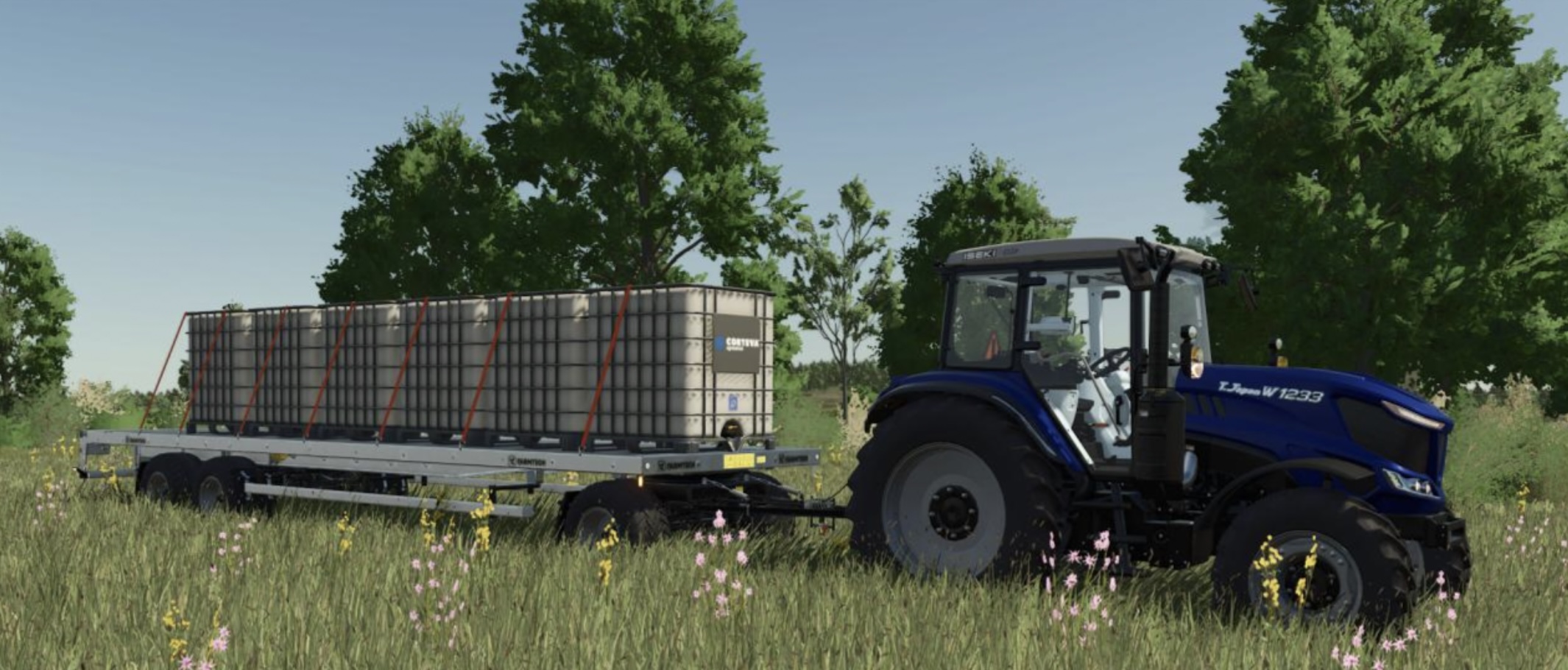
- IBC Liquid Tanks
- Square Bales
- Potato Boxes (requires mod: Seed Potato Pack)
Configured for the following trailers:
- Brantner DD 24073/2 XXL (bale trailer)
- Bremer Transportwagen TP 500 S
- BÖCKMANN MH-AL 4320/35
- BÖCKMANN KK 3018/27 H
- Demco Steel Drop Deck
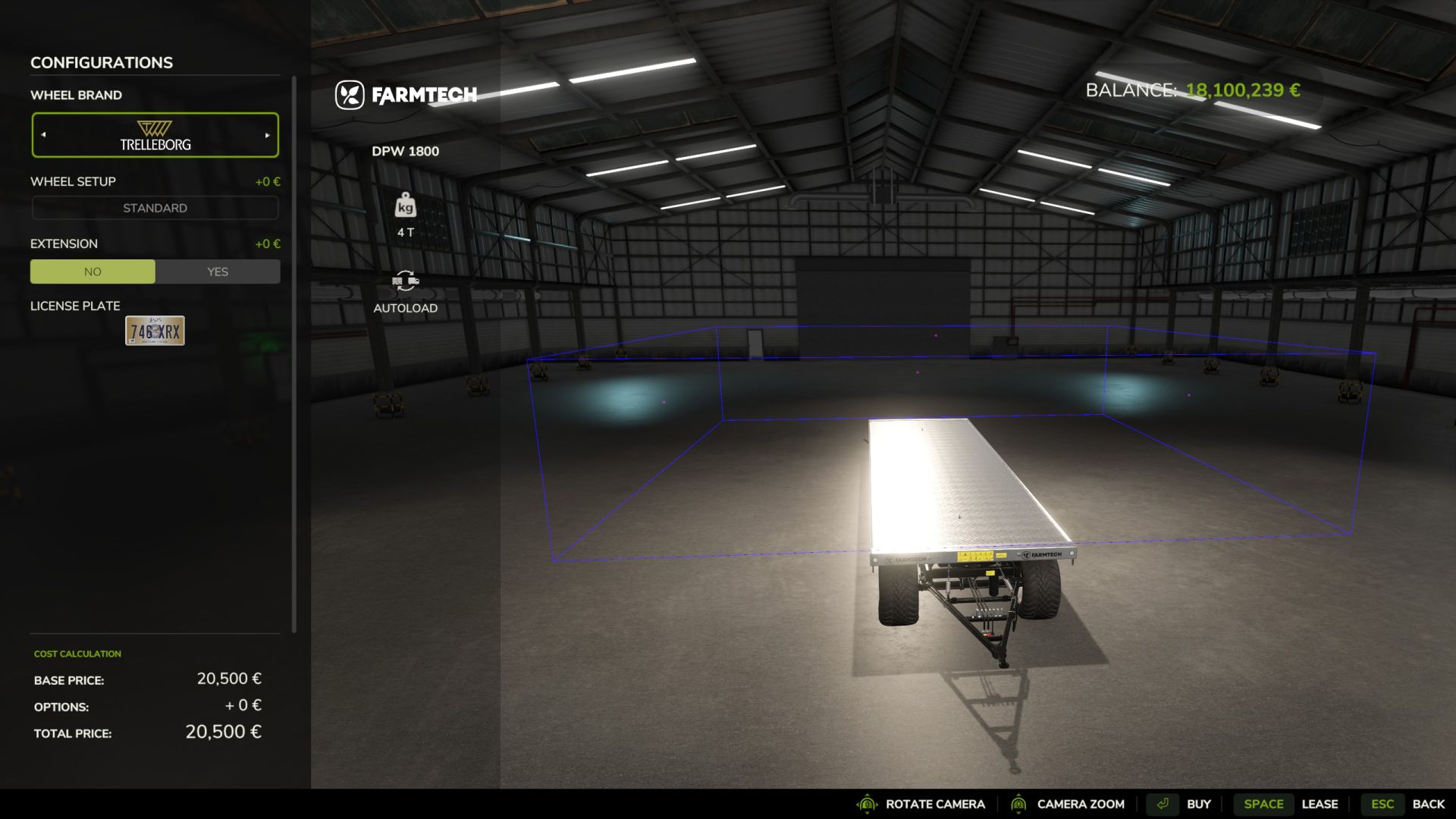
- Farmtech DPW 1800 (standard)
- Fliegl DTS 5.9
- KRONE Trailer Profi Liner
- Kröger PWO 24
- LODE KING Renown Drop Deck
- Welger DK 115 (bale trailer)
- Salek ANS-1900 (bale trailer)
Configured for the following vehicles:
- Lizard Pickup 1986
- Lizard Pickup 2017
- Mahindra Retriever
- JohnDeer XUV865M
- Kubota RTV-XG850
- Kubota RTV-X1140
- Antonio Carraro Tigrecar 3200
- Train (vehicle carriage)
Configured for the following Platinum DLC vehicles:
- Train (planks, flatBed & timber carriages)
- Volvo SM 462
- Pfanzelt P13 4272
- Schwarzmüller Timber Trailer
- Schwarzmüller Timber Trailer Semi
- Schwarzmüller Low Loader
Known Bugs:
- Existing trailers on a savegame will not get autoload added (until restart with valid settings)
- Editing/customising a vehicle in the workshop has no effect on the real vehicle
- Object positions slow to update in multiplayer
- Trigger detection of objects is poor in multiplayer (it helps to move them)
- No saving of vehicle configurations when saving multiplayer games
How to use
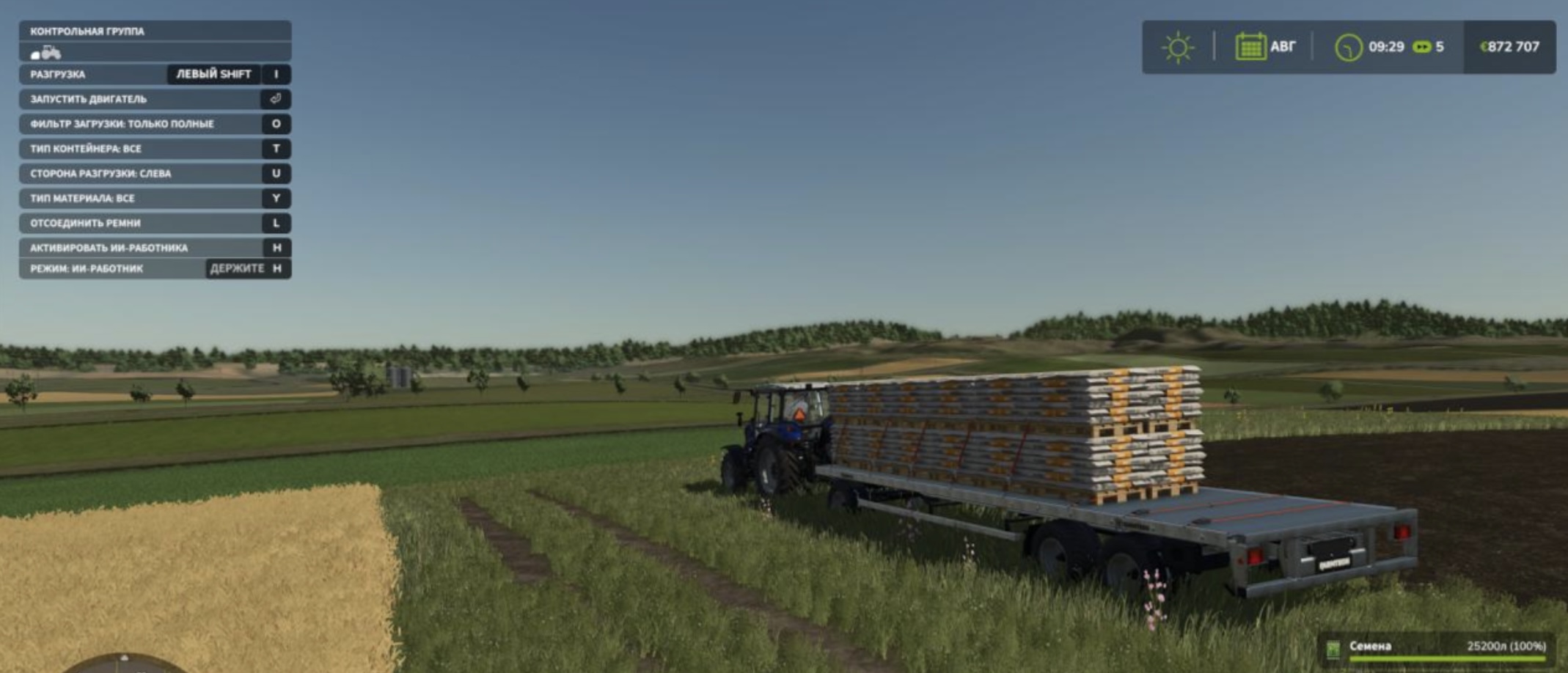
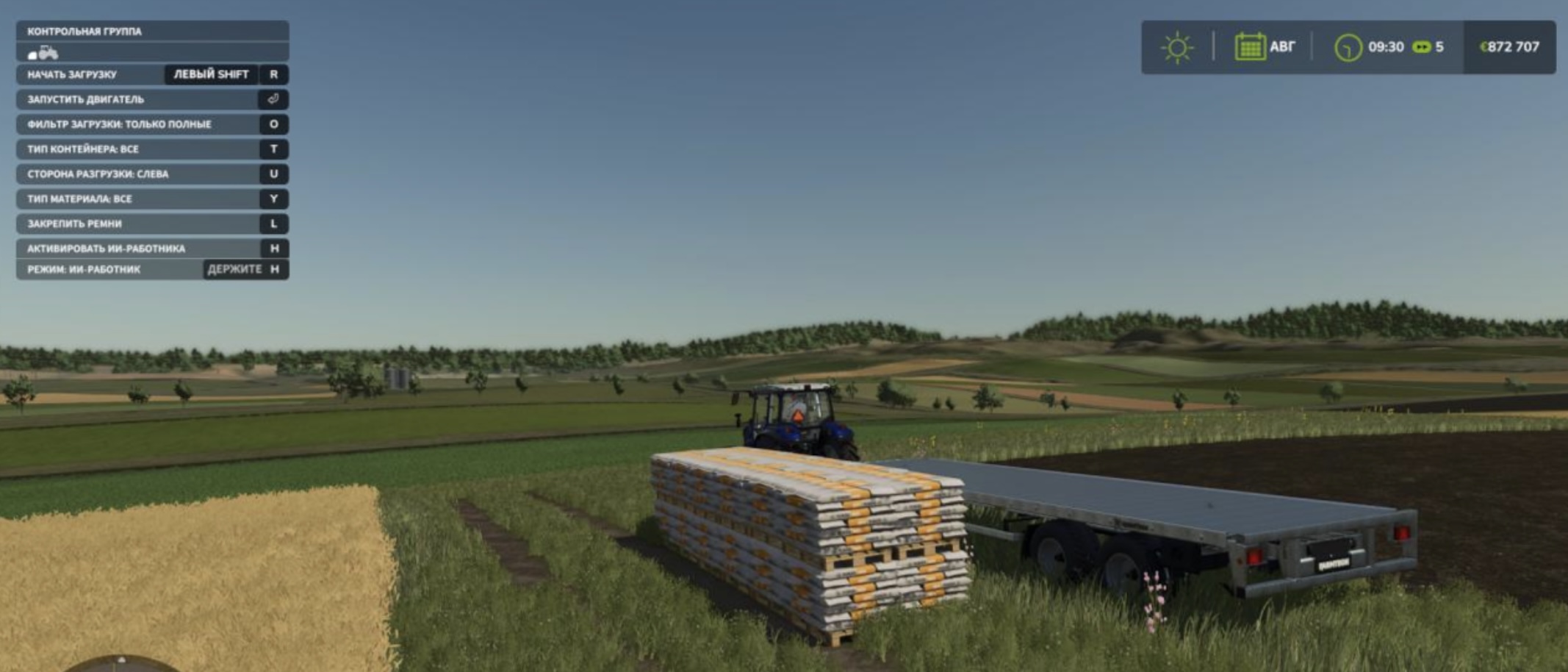
- Buy a new Farmtech DPW 1800, which will come with autoload features.
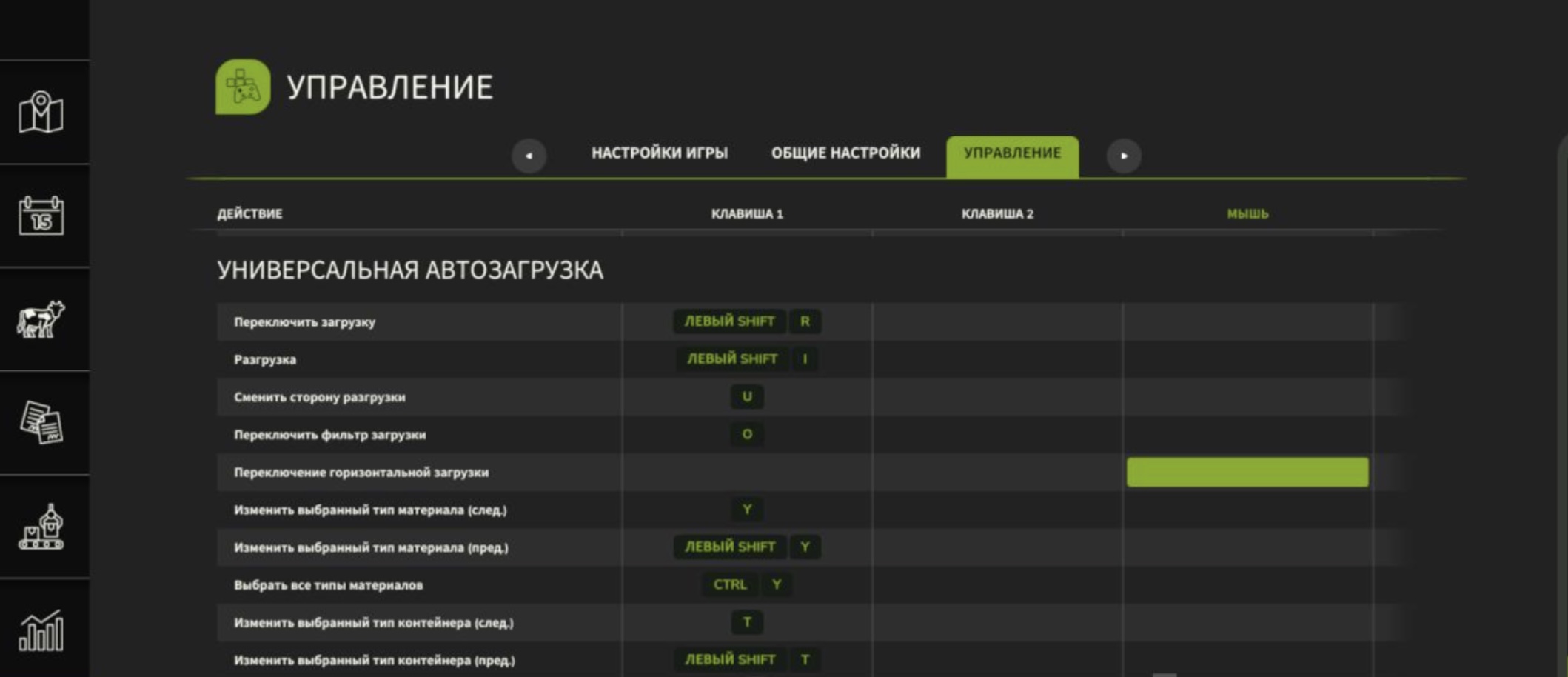
- Drive next to the pallets you want to pick up, and push “T” to select Euro Pallets.
- Push shift + R to autoload, before moving, use “L” for straps
- At the selling point, push “L” again to unstrap, and it should auto-sell.
Author: loki_79